
How to Redesign Your Business Website Without Losing Your Google Ranking
Yes, a Redesign Can Hurt Your Rankings — But It Doesn’t Have To
If your website looks outdated, loads slowly, or just doesn’t reflect your business anymore, the instinct to redesign it is completely reasonable. But there’s a fear that stops many business owners from pulling the trigger: what if we lose the Google rankings we’ve spent years building?
It’s a legitimate concern. Website redesigns are one of the most common causes of sudden ranking drops and traffic loss for small businesses. But here’s the thing — that outcome is not inevitable. It’s the result of treating a redesign as purely a visual project, without thinking through the SEO implications.
A redesign handled with care can preserve every ranking you currently have — and in many cases, improve them. This guide explains exactly how to do that, step by step, in plain language.
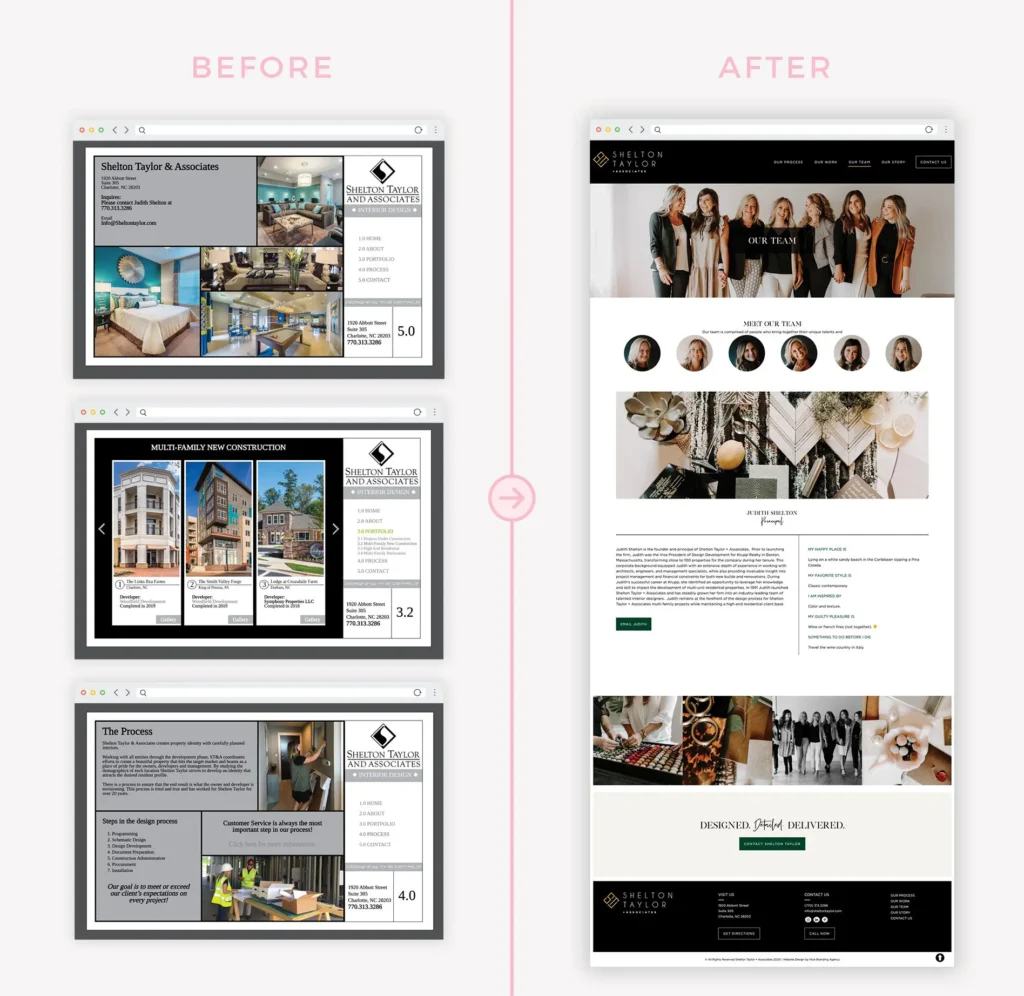
Why Business Owners Fear Losing Rankings During a Redesign
The fear is grounded in real experience. Stories of businesses losing 40%, 60%, or even 80% of their organic traffic after a redesign are not uncommon — and they’re almost always caused by the same avoidable mistakes.
The most common culprits:
- URLs changed without redirects being set up
- Important content removed or rewritten carelessly
- Title tags and meta descriptions replaced or deleted
- Internal link structures broken during the rebuild
- The new site launched without being tested for crawlability
- Google Search Console never updated after the migration
Each of these mistakes is preventable. The businesses that lose rankings do so because the redesign was treated as a design-only project. The businesses that protect or improve their rankings do so because SEO was part of the process from day one.
The Difference Between a Visual Refresh and a Full Structural Redesign
Before going further, it’s worth distinguishing between two types of redesign — because the SEO risk profile is different for each.
A visual refresh involves updating the look and feel of a site — new colours, fonts, images, updated layout — while keeping the underlying structure, URLs, and content largely the same. The SEO risk here is relatively low as long as key on-page elements (title tags, headings, body content) are preserved.
A full structural redesign involves rebuilding the site from scratch or significantly changing its architecture — new URLs, different page structure, rewritten content, new CMS platform. This carries much higher SEO risk and requires more careful planning.
Both can be done safely. The level of SEO precaution should match the scope of the changes.
Can a Redesign Actually Improve Your SEO?
Yes — and this is the underappreciated side of the story.
Many small business websites that have been around for five or more years have accumulated SEO problems: slow load times, poor mobile experience, thin content on key pages, missing meta descriptions, broken internal links. A thoughtful redesign is an opportunity to fix all of these at once.
A redesign done right can:
- Significantly improve page speed, which is a direct Google ranking signal
- Improve mobile usability, which Google now treats as a primary ranking factor
- Create dedicated service pages that didn’t exist before, expanding the site’s keyword footprint
- Clean up thin or duplicate content that was quietly holding the site back
- Strengthen internal linking to pass authority to the pages that matter most
The businesses that come out of a redesign with stronger rankings aren’t lucky. They approached the redesign as both a design project and an SEO project at the same time. Our web design and development service treats both as inseparable — because they are.
Step-by-Step: How to Redesign a Website Without Losing SEO
Step 1 — Benchmark Your Current Performance Before Touching Anything
Before a single element is changed, document where you stand. This creates the baseline you’ll compare against after launch.
Pull the following from Google Search Console:
- Your top 20 pages by clicks and impressions
- The search queries driving the most traffic
- Any existing crawl errors or indexing issues
Also note your current rankings for your most important keywords. This data is your safety net — if rankings drop after launch, you’ll know exactly what to look for and where to investigate.
Step 2 — Export All Your Current URLs
Before anything is restructured, export a complete list of every URL on your current site. Free tools like Screaming Frog or the URL list in Google Search Console work well for this.
This list serves a critical purpose: it’s the map you’ll use to ensure every existing page either survives in its current form or is properly redirected to its new equivalent.
Step 3 — Identify Your Top-Performing Pages
Not all pages are equal. Some pages are driving the majority of your organic traffic and leads. These deserve special protection.
Flag your top-performing pages and treat them as high-priority during the redesign:
- Keep their URLs identical if at all possible
- Preserve the existing content as a minimum — improve it where you can
- Maintain or improve their title tags and meta descriptions
- Ensure they’re prominently linked in the new site’s navigation and internal link structure
Step 4 — Map Old URLs to New URLs
If the redesign requires changing any URLs (moving from /services to /our-services, for example), create a redirect map before building anything.
A redirect map is a simple spreadsheet: old URL on the left, new URL on the right. Every old URL that’s changing needs a corresponding destination. This document drives the next step.
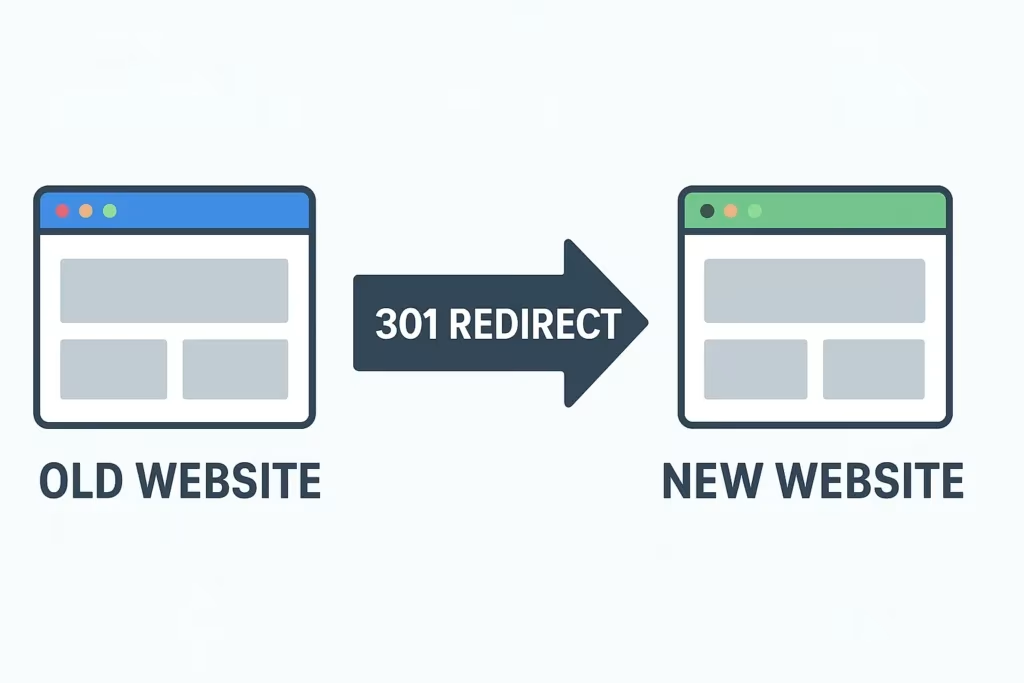
Step 5 — Implement 301 Redirects for Every Changed URL
A 301 redirect tells Google that a page has permanently moved to a new address. When set up correctly, it transfers the SEO value (sometimes called “link equity”) from the old URL to the new one. Without it, that value evaporates — and Google treats the old page as deleted and the new page as brand new, with no authority.
This is where most redesigns go wrong. Either redirects aren’t set up at all, or they’re set up incorrectly (pointing to the homepage instead of the correct new page, for example).
Google’s documentation on redirects explains how Google processes them — worth reviewing if you’re managing the technical side yourself.
Step 6 — Preserve Key On-Page SEO Elements
Every page that matters should carry its SEO foundations through the redesign intact. Before the new pages go live, verify that the following are in place:
- Title tags — each page has a unique, keyword-relevant title under 60 characters
- Meta descriptions — each page has a descriptive summary under 160 characters
- H1 headings — one per page, clearly describing the page’s main topic
- Body content — the core substance of high-performing pages is preserved or improved, not stripped
- Image alt text — descriptive alt text on all images
- Internal links — pages link to each other naturally and logically
If your old site had these in place, don’t lose them in the rebuild. If it didn’t, the redesign is your chance to add them properly. For a detailed breakdown of what good on-page SEO looks like, our guide on how to improve your website’s SEO covers each element clearly.
Step 7 — Test Everything on Staging Before Launch
Before the new site goes live, it should sit on a staging environment — a private, password-protected version — where it can be tested thoroughly.
Critical tests before launch:
- Crawl the staging site to check for broken links and missing pages
- Verify that redirects are functioning correctly
- Confirm the staging site is set to “noindex” so Google doesn’t accidentally index it before launch
- Test on mobile devices across multiple screen sizes
- Run a speed test at Google PageSpeed Insights and address any major issues
Step 8 — Launch With SEO Checks in Place
On launch day, work through the following before announcing anything:
- Remove the noindex setting from the live site
- Submit the new sitemap to Google Search Console
- Verify that the homepage and key pages are indexable using the URL Inspection tool
- Check that redirects are live and functioning
- Confirm your Google Analytics and Search Console tracking codes are in place on the new site
Step 9 — Monitor Performance Closely for 60–90 Days After Launch
The work doesn’t stop at launch. Rankings can fluctuate in the weeks following a significant site change as Google re-crawls and re-evaluates the site. This is normal — but prolonged drops or complete disappearance of key pages is a signal something needs to be fixed.
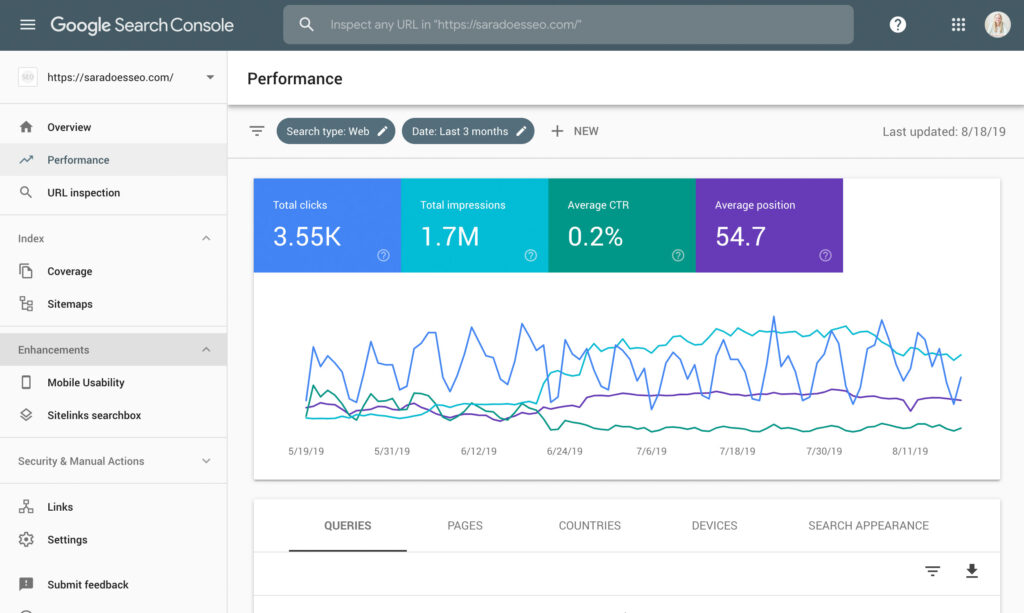
Monitor weekly in Google Search Console:
- Click and impression trends for your most important pages
- Any new crawl errors or coverage issues
- Whether your key pages are indexed
- Any manual actions or security warnings
The Redesign-Safe SEO Checklist
Before redesign:
- [ ] Export all current URLs from the existing site
- [ ] Pull top-performing pages and keywords from Google Search Console
- [ ] Document current title tags, meta descriptions, and H1s for key pages
- [ ] Identify any pages that must keep their current URL
- [ ] Create a redirect map for any URLs that are changing
During build:
- [ ] Staging site set to noindex so Google cannot crawl it early
- [ ] All redirects built and tested on staging
- [ ] Title tags, meta descriptions, and H1s in place on all key pages
- [ ] Internal linking structure mirrors or improves on the current site
- [ ] Mobile responsiveness tested on multiple devices
- [ ] PageSpeed score reviewed and major issues addressed
- [ ] No broken links on staging
At launch:
- [ ] Noindex removed from live site
- [ ] New XML sitemap submitted to Google Search Console
- [ ] Redirects confirmed live
- [ ] Tracking codes verified (Google Analytics and Search Console)
- [ ] Key pages inspected in Search Console URL Inspection tool
Post-launch (first 90 days):
- [ ] Weekly check of Google Search Console performance
- [ ] Monitor for any new crawl errors or coverage drops
- [ ] Confirm top-performing pages are indexed and returning to expected positions
Common Redesign Mistakes That Kill Rankings
Changing URLs without redirects. The most common and most damaging mistake. Every URL that changes without a 301 redirect is treated by Google as a deleted page.
Rewriting content carelessly. If a page was ranking because of specific language and content, replacing it with shorter, vaguer copy removes what made it rank.
Removing pages entirely. Pages that were ranking for long-tail searches are sometimes deleted during a “cleanup” redesign. Always check whether a page has any search traffic before removing it.
Launching without testing. Going live before the staging site has been properly crawled for errors means launching problems that Google will immediately encounter.
Not updating Google Search Console. After a major redesign or domain change, Search Console needs to reflect the new property. Failing to do this means flying blind.
Choosing a slower platform. Switching from a fast, optimized setup to a bloated theme-heavy platform can cause a significant speed drop that directly affects rankings. Always benchmark speed before and after.
How Long Will Rankings Take to Stabilize After a Redesign?
Some fluctuation after a redesign is completely normal and expected. Google needs to re-crawl the new site, process any redirects, and re-evaluate each page. This typically takes two to six weeks for well-executed redesigns.
If the SEO foundations are properly preserved and redirects are correctly implemented, most pages return to their previous positions — and often improve — within that window.
Larger structural redesigns, domain changes, or CMS migrations can take longer: sometimes three to six months for full stabilization. This is also covered in Google’s site move documentation, which explains what Google does when it encounters significant site changes.
Prolonged drops beyond two months, or complete disappearance of previously ranking pages, usually indicate a technical issue — missing redirects, accidental noindex tags, or crawl blocks — rather than a normal adjustment period.
Questions to Ask Before Hiring a Web Designer for a Redesign
Not all web designers approach redesigns with SEO in mind. Before hiring someone to rebuild your site, ask:
- Do you audit the existing site’s SEO before starting? If the answer is no, that’s a red flag.
- How do you handle URL changes and redirects? If they’re not familiar with redirect mapping, look elsewhere.
- Do you preserve existing title tags and meta descriptions? These should be treated as valuable assets, not wiped and rebuilt from scratch.
- Will the new site be tested on a staging environment before launch? This should be standard practice.
- How do you handle Google Search Console and sitemap submission after launch? This should be part of their standard launch process.
- Can you show examples of redesigns that maintained or improved organic traffic? Results matter.
If you’re considering a redesign and want to understand what a proper SEO-safe process looks like, view our web design and development approach or see our pricing for a clear picture of what’s involved.
Frequently Asked Questions
Will I definitely lose rankings when I redesign my website?
Not if the redesign is handled correctly. Ranking drops are common after redesigns, but they’re almost always caused by preventable mistakes — particularly changing URLs without redirects, removing content, or breaking on-page SEO elements. A redesign that preserves these elements, implements proper redirects, and is built on a faster, more mobile-friendly platform will typically maintain or improve existing rankings.
What is a 301 redirect and why does it matter?
A 301 redirect is a permanent redirect that tells Google a page has moved to a new address. It transfers the SEO authority from the old URL to the new one. Without it, Google treats the old page as deleted and the new page as brand new — meaning all the trust and authority built up by the old page is lost. Every URL that changes during a redesign needs a 301 redirect pointing to its new equivalent.
Should I keep my old URL structure during a redesign?
Where possible, yes. Keeping URLs identical removes the need for redirects and eliminates a significant source of post-redesign ranking risk. That said, some URL structures are worth changing — particularly if the old structure was messy, keyword-free, or contained session IDs and parameters. If you do change URLs, the redirect map process described above makes it safe to do so.
How do I know which pages are most important to protect during a redesign?
Log into Google Search Console and look at your performance report. Sort by clicks over the last twelve months. The pages with the most clicks and impressions are your highest-priority pages for SEO preservation. Pay equal attention to pages that rank for keywords with strong commercial intent — even if their traffic numbers are modest, those visitors may be your most valuable.
Is it safe to switch website platforms during a redesign?
Yes, but it requires more care. Switching from one CMS to another (from WordPress to Squarespace, or from a custom build to Webflow, for example) is a common cause of post-redesign problems because URL structures often change, page speeds differ, and on-page SEO elements don’t always carry over automatically. If you’re switching platforms, treat it as a full site migration and follow every step in this guide carefully. Our post on how to get your website on Google covers the technical foundations that every platform needs to have in place.
How soon after launching a redesign should I expect rankings to recover?
For most well-executed redesigns, rankings stabilize within two to six weeks. Pages may fluctuate up and down during this period as Google re-crawls and reassesses the site — this is normal. If major pages haven’t returned to their previous positions within two months, it usually points to a specific technical issue (broken redirects, missing pages, crawl blocks) that needs to be identified and fixed. Use Google Search Console’s coverage and performance reports to investigate.
Conclusion: A Redesign Is an Opportunity — When SEO Is Part of the Plan
The business owners who fear redesigns most are often the ones who’ve already experienced the pain of watching rankings disappear after a careless rebuild. That experience is avoidable — but only if SEO is treated as part of the redesign process from the very beginning, not an afterthought after launch.
Done right, a redesign is one of the most valuable investments a small business can make in its online presence. It’s a chance to fix years of accumulated technical problems, build the page structure your site should always have had, and launch a faster, cleaner, more credible website that works better for both visitors and Google.
At Ottawa Web Genius, we handle both sides of every redesign — the design and the SEO preservation. Every rebuild we do starts with an audit of the existing site, includes a full redirect plan for any URL changes, and is tested thoroughly on staging before anything goes live. Our clients don’t lose rankings in the process. Most see them improve.
If your website needs a redesign and you want to make sure it’s handled carefully, explore our web design services or get in touch for a straightforward conversation about what your site needs.
What Does an SEO-Friendly Website Actually Mean?
September 15, 2026[…] traffic, and create a redirect plan that maps existing URLs to new destinations. Our guide on how to redesign your website without losing your Google rankings covers the full […]