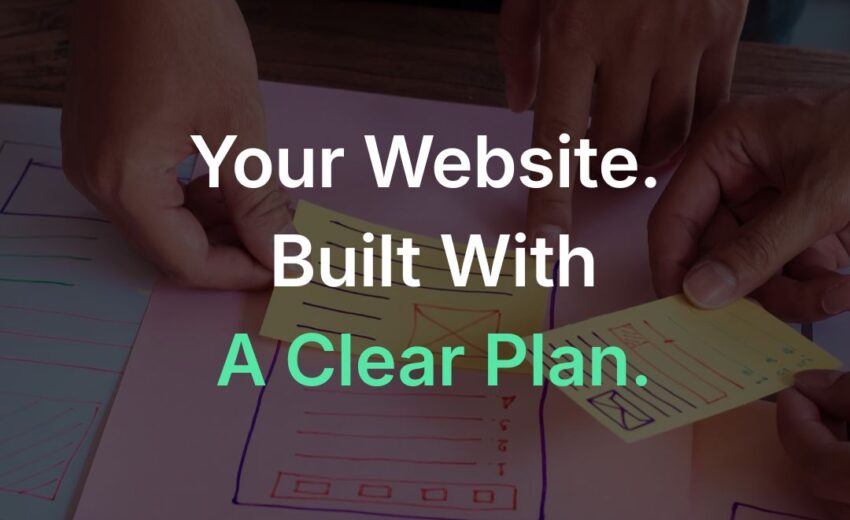
How Ottawa Web Genius Builds Websites: Our Process from First Call to Launch
Understanding how a website gets built before you commit to a project is one of the most useful things you can do as a business owner. It helps you ask better questions, set realistic expectations, and evaluate whether any provider’s process matches what your project actually needs.
This guide explains the decisions to work through with Ottawa Web Genius, from the first conversation to launch. It is a planning framework, not a promise that every item is included in every project. The written scope confirms deliverables, platform, responsibilities, timeline, revision limits, payment terms and support.
Why Process Matters as Much as Portfolio
A web designer’s portfolio shows you what they have built. The process shows you how they work and what it will be like to be their client. Two portfolios can look similar while the processes behind them are very different: one might involve a structured discovery phase and regular reviews; another might hand you a finished site with limited input along the way.
For Ottawa small businesses, a structured process protects your investment. It reduces ambiguity about requirements and gives you a way to resolve changes. Before hiring any web designer, including us, ask them to describe their process from start to finish. Our guide on what to ask before hiring a web designer covers the full set of questions worth raising.

Step 1: The First Call : Discovery Before Proposal
A project at Ottawa Web Genius begins with a discovery conversation, not a quote. Before we can scope a project accurately or tell you what it will cost, we need to understand your business, your clients, your goals, and your existing online presence.
In a first call we typically cover:
- What your business does and who your clients are
- How clients currently find you and what you want the website to accomplish
- What you like and dislike about your current website, if one exists
- Any specific features, integrations, or functional requirements
- Timeline considerations and your availability during the project
What you should bring to a first call: examples of websites you admire and can explain why, your service list, any existing branding materials, and an honest sense of your budget range. The more specific you can be, the more accurate our scope and estimate will be.
Step 2: Scope and Proposal
After the discovery conversation we prepare a written project proposal. This document defines the scope of work: which pages are included, what is and is not included in copywriting, what SEO setup is covered, what platform the site will be built on, what the revision process looks like, and what post-launch support is available.
The proposal is how we prevent the most common source of web project disputes: mismatched expectations about what was agreed to. Before you sign anything with any web designer, confirm that the written scope answers the following:
- How many pages are included and which ones specifically?
- Is copywriting included? If so, for which pages and to what extent?
- What SEO setup is included : title tags, meta descriptions, sitemap, Search Console setup?
- Who owns the domain and hosting after launch?
- How many revision rounds are included and how are they defined?
- What is the payment schedule?
Confirm approval and payment milestones in the proposal before work starts. A clear agreement gives both sides a reference when priorities change.
Step 3: Content Collection and Strategy
Content and design depend on one another. Before layouts are final, decide which pages are needed and what customers must learn on each. Collect service details, approved claims, photographs and contact information in one place.
Depending on the scope agreed, our content phase may involve:
- Content strategy: Deciding how many pages are needed, what each should accomplish, and how they should be structured for both visitors and search engines
- Copywriting: Drafting the actual text for service pages, the homepage, the About section, and other pages. This is included in some scopes and excluded in others : the proposal will specify
- Content brief: Agree on the material each page needs, who provides it, and when it is due.
- Image collection: Identifying what photography is needed, what stock imagery may be used, and how original photos will be gathered and formatted
Content delivery affects scheduling. Assign one approver for each page and list missing items before the build. Avoid committing to a launch date that assumes unconfirmed copy or photography will arrive on time.
What to do next after scope is agreed: Begin gathering any materials you will need to provide: service descriptions, team photos, company history, any credentials or certifications to display, and examples of project work where applicable.

Step 4: Design
Design at Ottawa Web Genius is conversion-first. A site has to look credible and professional, but the primary measure of a design decision is whether it helps a visitor understand what the business does, trust it, and take a next step.
Our design phase typically involves:
- A homepage mockup showing the overall visual direction, layout, and component structure
- Client review and feedback on the mockup before development begins
- Agreement on typography, colour, and visual style before these are extended across other pages
The platform should match the business requirements. A content management system, or CMS, is the software used to edit website content. WordPress is one option; the proposal should identify the platform, editing access, required extensions and ongoing licences. Our SEO-friendly website guide explains why software choice alone does not establish search readiness.
Step 5: Development and Build
Development turns the approved design into a functioning website. This phase includes:
- Building all pages defined in the scope within the agreed structure
- Implementing all functionality: forms, galleries, booking integrations, maps, or other features specified in the scope
- Configuring on-page SEO elements: title tags, meta descriptions, heading structure, image alt text, and internal links
- Setting up XML sitemap generation
- Configuring HTTPS and security fundamentals
- Integrating Google Analytics 4 where included in scope
A staging environment is a separate version used for building and reviewing changes. Confirm how access is restricted. A noindex instruction asks search engines not to index a page; it does not make that page private. Sensitive material needs appropriate access controls.
What happens to content during build: we integrate the content collected in Step 3 as pages are built. If content for a page has not arrived, that page is built with a placeholder and content is added once received. Incomplete content at this stage can delay the review process.
Step 6: Review and Revisions
When the initial build is complete on staging, we invite the client for a structured review. This is the stage where the project scope’s revision rounds apply.
An effective review focuses on:
- Accuracy: does the content reflect the business correctly?
- Completeness: are all pages and features from the scope present and functioning?
- Mobile experience: does every page work correctly on a phone?
- Forms: does the contact form submit and route notifications correctly?
- Click-to-call: does the phone number open the dialer when tapped on mobile?
Feedback should be as specific as possible. “I want this section to feel different” creates ambiguity. “The heading on the services page should read ‘Residential Plumbing’ not ‘Our Services'” is actionable. The number of revision rounds included in the project is defined in the scope. Changes that go beyond the agreed scope are discussed separately before being implemented.
Step 7: Pre-Launch Testing
Before any site goes live, we run a structured test pass that covers:
- All pages load without errors on desktop and mobile
- All forms submit correctly and notifications arrive in the right inbox
- Phone numbers are click-to-call on mobile
- All internal links resolve to the correct pages
- No broken images or missing alt text
- Page titles and meta descriptions are present and unique on each page
- Google Analytics 4 is recording sessions correctly (where included)
- The site passes a basic mobile usability check
- HTTPS is active on all pages
We recommend the client also complete a test from their own device before giving launch approval. A form submission from a real phone to the real notification inbox is the most reliable way to confirm the contact flow works end to end.

Step 8: Launch
Launch involves migrating the site from the staging environment to its live domain. This includes:
- DNS update to point the domain to the live site
- Final SSL certificate check
- Removal of any no-index or search engine disallow settings used during staging
- Submission of the XML sitemap to Google Search Console
- Verification of Google Search Console ownership
- Confirmation that Google Analytics is tracking on the live domain
DNS, the system connecting a domain name to its hosting, may need updating if hosting changes. Existing cached records can mean visitors see the change at different times. Plan the switch with the hosting provider, protect email records and keep a rollback route. A redesign on the same hosting may not need a DNS change.
Launch is not the end of the process, and a well-built site that is launched without ongoing attention will not automatically perform. Our post on why websites stop generating leads covers what to watch for after launch.
Step 9: Handover and Post-Launch Support
Agree on the handover before launch. It should identify the accounts the client controls, editing access, third-party subscriptions, backup arrangements and any training or documentation included. Ownership of custom work, licensed themes, plugins and stock assets may differ. Put these distinctions in writing.
Define any post-launch support window, what counts as a defect, and which requests require a new scope. Ongoing maintenance and SEO should have a clear owner, whether that is the business, OWG under a separate agreement, or another provider.
Project Process Checklist
Before the project starts:
- Discovery call completed
- Written scope of work agreed and signed
- Payment milestones confirmed in the agreement
- Content responsibilities clearly assigned (what we write vs what you provide)
During the project:
- Content collected and delivered on the agreed timeline
- Design mockup reviewed and approved before development begins
- Staging site reviewed thoroughly with specific actionable feedback
- Revision rounds used within scope
- Client testing of forms and phone links on personal devices
At launch:
- DNS updated and HTTPS confirmed
- Search Console set up and sitemap submitted
- Analytics tracking confirmed on live domain
- All account credentials confirmed in client hands
After launch:
- Post-launch support responsibilities confirmed
- Any agreed CMS walkthrough completed
- Next steps for SEO or content development discussed
Frequently Asked Questions
How long does a website project take?
It depends on the pages, content readiness, integrations, approvals and migration work. A brochure site and a booking site require different planning. Ask for milestone dates after discovery, including dependencies and review time. Treat any requested opening date as a constraint to assess, not a delivery promise made before scope is known.
Do I need to write all the content myself?
Confirm who writes each page. Copywriting, editing and uploading supplied text are different services. Agree on the factual information the business must provide and who approves claims, credentials, service areas and photography before publication.
Who owns the website, domain, and hosting after the project ends?
Confirm this in the agreement. Ask whose name appears on the domain registration, who pays for hosting and licences, what editing access you receive, and what happens if you move to another provider. A website can include third-party assets with separate licence conditions. Do not assume access, ownership and portability are identical.
What SEO is included in the build?
The proposal should specify it. Ask about titles, descriptions, headings, useful image alternatives, internal links, sitemap handling, redirects for changed URLs, and Search Console access. A sitemap lists URLs for discovery; submitting one does not guarantee indexing. An ongoing SEO campaign is separate work. Our SEO-friendly website explainer gives you questions for reviewing the scope.
How do you handle projects where I am not happy with the initial design direction?
Raise specific concerns at the agreed review point. Explain which customer need is not being met and give a concrete example. Confirm the number of revisions and the difference between correcting an agreed requirement and adding a new direction. A written decision prevents the same question reopening at each stage.
What happens after the post-launch support period ends?
Use the support terms in your agreement. Decide who handles security updates, backups, content changes and measurement after handover. Ask how urgent issues are reported and how new work is estimated. Our website cost versus value guide explains why ongoing responsibilities belong in the budget.
If you are planning a new website for your Ottawa business and want to understand what working together would look like, our web design services page explains our scope and approach. Our pricing page provides transparent information on what different project types include. The most useful next step is usually a first conversation : reach out when you are ready and we will work from there.