What Does an SEO-Friendly Website Actually Mean?
A web design proposal says: “SEO-friendly website included.”
That sounds good. But what did the designer actually commit to?
For one designer, “SEO-friendly” might mean installing an SEO plugin. For another, it means carefully planning the site architecture, URLs, redirects, title tags, mobile experience, internal links, crawling configuration, indexing setup, and technical launch process.
Those are very different deliverables.
An SEO-friendly website is one that has been built with the technical and structural foundations necessary for search engines to discover, crawl, understand, and potentially index its important pages, while also providing a clear experience for the people who visit it.
That definition matters, because what the phrase actually describes is a starting condition, not a result. A technically sound website does not automatically rank. It simply removes the barriers that can prevent a website from ranking at all.
What Is an SEO-Friendly Website?
To understand what makes a website SEO-friendly, it helps to understand what search engines actually do.
Crawling is the process search engines use to discover and revisit webpages. A search engine sends automated programs (often called crawlers or spiders) to follow links across the web and find pages.
Indexing is the process through which Google analyses pages and may add them to its search index. According to Google Search Central’s documentation on how Google discovers and indexes pages, being crawled does not guarantee indexing, and being indexed does not guarantee rankings. These are three separate things.
Think of your website as a building. Search engines need:
- Doors they can access (pages that are not blocked from crawling)
- Hallways connecting rooms (internal links between pages)
- Signs explaining what each room contains (descriptive titles, headings, and content)
- A logical floor plan (coherent site architecture)
A visually impressive building with locked doors and no signs is difficult to navigate. A website can have exactly the same problem, regardless of how polished the design is.
What to do next: Use Google Search Console’s URL Inspection tool to check whether your most important pages are indexed. This is the most direct way to confirm Google is aware of them.

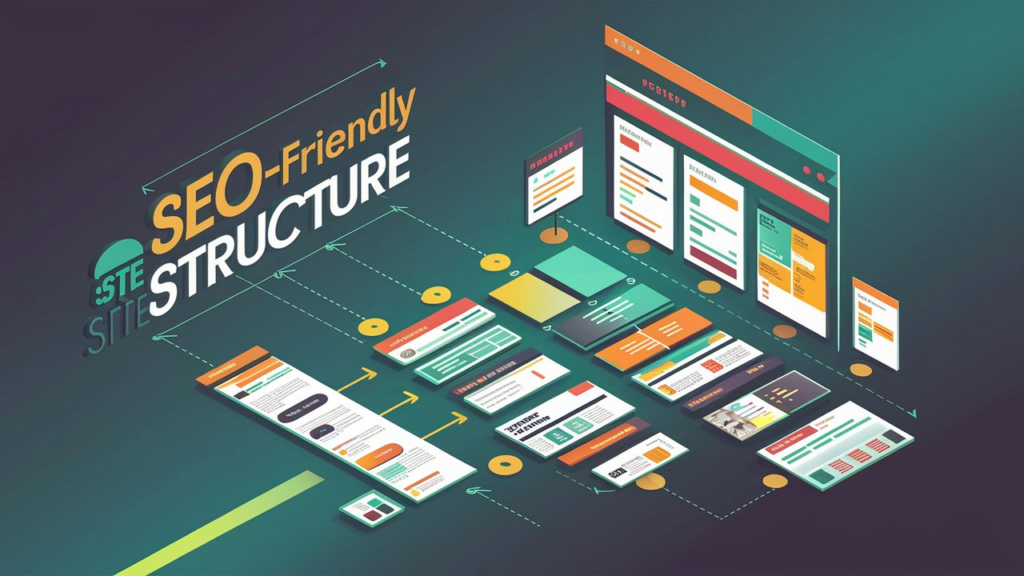
A website is SEO-friendly when it is crawlable, indexable, mobile-friendly, fast, clearly structured, and built around useful content. These are foundations, not ranking guarantees.
An SEO-Friendly Website Is Not the Same as a Website That Ranks
This distinction matters enormously, and it is frequently blurred in web design proposals.
There is a difference between an SEO foundation and SEO performance.
An SEO-friendly build provides the foundation. It ensures search engines can discover and understand the site. It removes technical barriers. It creates the conditions under which good work can compound.
Actual organic visibility depends on much more, including the quality and relevance of the content, how competitive the search landscape is, the website’s authority and backlinks, local signals for businesses targeting local searches, the search intent behind the queries you want to appear for, and continued optimisation over time.
An SEO-friendly website is like a well-constructed storefront in a good location. The building being structurally sound and clearly signed does not automatically mean customers will walk through the door. Visibility still has to be earned.
An Ottawa law firm that launches a well-built, technically clean website is in a much better position to build organic visibility than one that launched on a broken, misconfigured platform. But the clean launch is the beginning of the work, not the end of it.
What to do next: When any designer says SEO is included, ask specifically: “When you say SEO-friendly, what exactly is included?” Request a list of deliverables, not a phrase.
SEO-Friendly Website Architecture
Website architecture refers to how pages are organised and connected throughout a website.
A basic website structure might look like:
Home
Services
About
Contact
For a renovation company serving Ottawa homeowners, that structure makes it very difficult for search engines to understand which specific services the business offers, and equally difficult for a prospective customer to land on a page specifically about what they need.
A more useful structure:
Home
Services
  └ Basement Renovations
  └ Kitchen Renovations
  └ Bathroom Renovations
  └ Home Additions
Projects
About
Service Areas
Contact
When someone searches “basement renovations Ottawa,” a dedicated page focused entirely on basement renovations can address that specific search intent directly. Search intent means what someone is actually trying to find or accomplish with a search.
This does not mean creating a new page for every keyword variation. It means ensuring each major service or topic has a genuinely useful, clearly structured destination.
What to do next: Write down your five most important services. Check whether each one has a dedicated, substantive page on your website or whether they are all compressed into a single generic Services page.
Crawlability and Indexability: Where Technically Correct Websites Can Still Fail
A website can look completely finished and still have serious problems invisible to the human eye.
Noindex directives are instructions that ask compatible search engines to exclude a page from search results. When set intentionally, they are useful for pages that should not appear in search. When applied accidentally to your entire website, they can render a site effectively invisible to Google.
Robots.txt is a file containing instructions about crawling portions of a website. It is important to note that robots.txt is a crawling control, not an indexing control. Blocking a page in robots.txt may prevent crawling but does not remove an already-indexed page from search results. According to Google’s documentation on robots.txt, Google itself notes this distinction.
Canonical URLs are signals identifying the preferred representative URL among duplicate or substantially similar pages. Incorrectly configured canonicals can cause content to be attributed to the wrong URL.
XML sitemaps are machine-readable files that can help search engines discover URLs on a website. A sitemap helps Google find pages more efficiently but does not guarantee any page will be indexed.
Orphan pages are pages with no meaningful internal links pointing to them. Without links from elsewhere on the site, these pages can be difficult for search engines to discover and evaluate.
Here is a realistic Ottawa scenario: a contractor launches a redesigned WordPress website. During development, search indexing was intentionally set to discouraged so the in-progress site would not appear in search results. The site goes live, but the setting is never changed. Visually, everything looks finished. From an organic search perspective, the entire site is asking Google not to show it.
This is not a theoretical problem. It is one of the most common post-launch technical issues on WordPress sites.
What to do next: After any new website launch or redesign, check your most important pages using Google Search Console to confirm they are indexed and have no crawl or indexing errors.
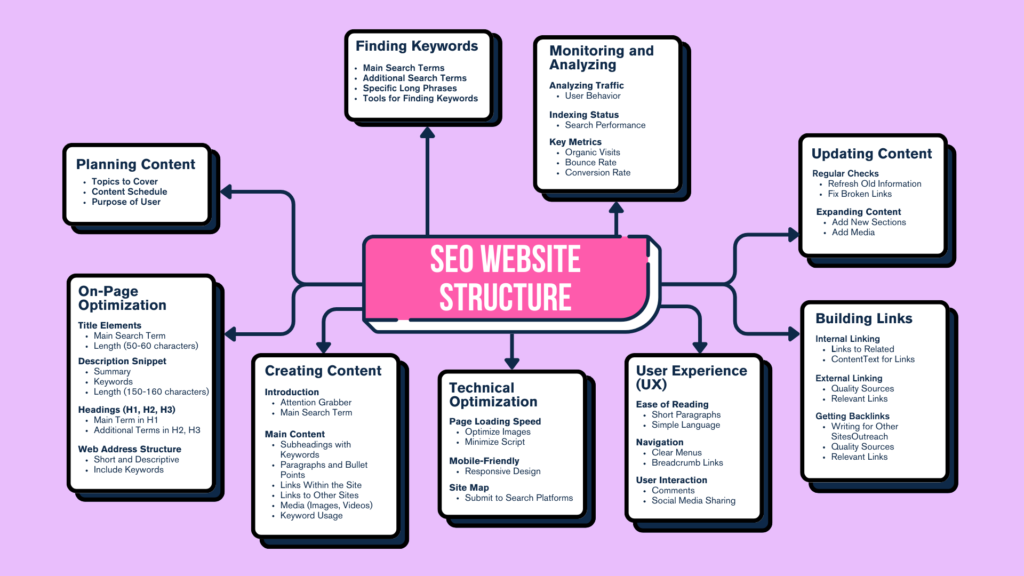

A basic website structure groups everything onto a few pages. An SEO-friendly architecture creates dedicated destinations for each important service, giving both users and search engines clear and relevant content to evaluate.
URLs, Title Tags, and Meta Descriptions
URLs are the addresses of individual webpages. Compare:
/page?id=3872
with:
/basement-renovations-ottawa/
The second URL is readable by a human and communicates what the page is about. Changing a URL alone does not produce ranking improvements, but clear, descriptive URLs are a practical element of a well-structured website.
Title tags are HTML elements providing a page title that Google may use when generating the title link shown in search results. According to Google’s guidance on title links, Google may choose to generate a different title link than the one provided, based on what it determines best represents the page.
Meta descriptions are HTML elements providing a short description of the page. Google may use this when generating the search snippet beneath a result’s title. Importantly, Google does not always display the supplied meta description. According to Google’s documentation on snippets, Google generates snippets automatically based on the page’s content and the user’s query.
Both title tags and meta descriptions matter for click-through from search results even when they don’t directly influence rankings. A title that accurately describes a page’s content helps the right people click.
What to do next: Review the five most important pages on your website. Look at the title and URL for each. Could someone understand what the page is about before reading a single word of the body content?
Mobile-Friendly Design as Part of SEO-Friendly Web Design
Responsive web design means designing a website so its layout adapts to different screen sizes and devices. It is a foundational component of an SEO-friendly website, not an optional enhancement.
Google’s mobile-first indexing approach means Google primarily uses the mobile version of a website’s content for indexing and ranking. A site that works well on desktop but poorly on mobile is being evaluated based on the mobile experience.
For an Ottawa business, this plays out in practical terms constantly. Someone in Barrhaven searching for an emergency plumber from their phone is not interested in desktop animations. They need to understand your services, confirm you cover their area, see enough to trust you, and find a way to call. If any of those steps requires zooming, sideways scrolling, or hunting for a visible phone number, the experience has failed.
What to do next: Open your website on a real smartphone and attempt to complete the primary action you want visitors to take. Call the phone number. Submit the contact form. Request a quote. Note anything that creates friction.
Page Speed and Core Web Vitals
Core Web Vitals are metrics Google uses to measure aspects of real-world page experience. According to Google’s Core Web Vitals documentation, the current metrics are:
Largest Contentful Paint (LCP): How quickly the main visible content of the page appears.
Interaction to Next Paint (INP): How responsive the page is to user interactions.
Cumulative Layout Shift (CLS): How visually stable the page is while it loads.
Core Web Vitals are one of the many signals Google’s ranking systems consider. Passing Core Web Vitals thresholds does not guarantee a specific ranking position. A slow, unstable page creates a poor user experience that can affect how long visitors stay and whether they convert, independent of any ranking effect.
For an Ottawa HVAC company whose homepage takes seven seconds to load on a mobile connection and shifts content while loading, those problems cost them calls before a single ranking is considered. For more on Core Web Vitals specifically and how they affect Ottawa small business websites, our guide on what Core Web Vitals are and why small business owners should care covers each metric in practical terms.
What to do next: Test an important service page through Google PageSpeed Insights and review the mobile score. Aim for improvement rather than perfection; a score above 70 on mobile is a reasonable functional target for most small business websites.
Heading Structure and Internal Linking
Semantic HTML means using HTML elements according to their intended purpose. Headings in particular help both visitors and search engines understand a page’s content hierarchy.
An H1 heading identifies the primary topic of the page. H2 headings mark major sections. H3 headings mark subsections within those. When headings are structured logically, a visitor can skim a page and understand its structure without reading every paragraph.
Compare a page about basement renovations in Ottawa:
Clear structure:
- H1: Basement Renovations Ottawa
- H2: Basement Design and Planning
- H2: Basement Finishing Services
- H2: What Affects Renovation Costs?
Against vague headings:
- H1: Welcome
- H2: What We Do
- H2: Our Solution
- H2: Learn More
The second version communicates almost nothing about the actual content.
Internal links connect pages within the same website. They help visitors discover related information, help search engines discover pages, establish relationships between content, and prevent important pages from becoming isolated. An article about website pricing can naturally link to a web design services page, a pricing page, or a comparison article. Those connections matter both for navigation and for helping search engines understand how content relates to each other.
An orphan page is a page with no meaningful internal links pointing to it. Without links from other parts of the site, search engines may have difficulty finding and evaluating that page. For more on how internal linking fits into the broader website picture, our post on the difference between web design and web development explains how structural decisions made during the build affect long-term performance.
What to do next: Read only the headings on one important service page. Without reading any paragraphs, can you understand what the page covers and how it is organised?
The Biggest SEO Risk During a Website Redesign
Redesigning an existing website carries a specific set of SEO risks that a brand-new website build does not. If an existing website has established rankings, traffic, or backlinks, the redesign process can inadvertently damage that accumulated value.
The most significant risk is changing established URLs without redirects. A 301 redirect is a server-side permanent redirect that sends users and search engines from an old URL to a new one. Without a redirect, any links pointing to the old URL lead to a dead end.
A concrete Ottawa example: a law firm has an established page at /corporate-lawyer-ottawa/. A redesign changes the URL structure so that page becomes /services/business/. Nobody implements a redirect from the old URL to the new one. Any external sites linking to the original URL now reach nothing. Visitors clicking those links reach nothing. Search engines need to process the change from scratch.
Other redesign risks include removing pages with existing traffic or backlinks, losing internal link relationships, accidentally re-enabling the indexing-discouraged setting from development, and significantly altering page content.
What to do next: Before any website redesign, export your current URLs, review which pages receive organic traffic, and create a redirect plan that maps existing URLs to new destinations. Our guide on how to redesign your website without losing your Google rankings covers the full process.
What Should Actually Be Included in an SEO-Friendly Website?
Use this as a reference when evaluating a web design proposal:
Structure:
- [ ] Logical page hierarchy
- [ ] Dedicated pages for important services where appropriate
- [ ] Useful internal links connecting related pages
- [ ] Important pages are reachable from the homepage within a small number of clicks
Technical:
- [ ] Important pages are crawlable and not accidentally blocked
- [ ] Indexing configuration has been reviewed before and after launch
- [ ] XML sitemap present and submitted to Search Console
- [ ] Canonical URLs handled appropriately
- [ ] HTTPS active on all pages
- [ ] Redirect plan for any redesign
On-page:
- [ ] Descriptive title tags on every page
- [ ] Logical heading structure on every page
- [ ] Clear and readable URLs
- [ ] Meta descriptions present (even if Google may rewrite them)
- [ ] Appropriate alt text on images
Experience:
- [ ] Responsive design confirmed on real devices
- [ ] Navigation usable on mobile
- [ ] Forms and conversion elements work on mobile
- [ ] Page performance reviewed
Setup:
- [ ] Google Search Console connected
- [ ] Sitemap submitted
- [ ] Launch indexation check completed
- [ ] Analytics and conversion tracking configured where included
This checklist describes a foundation. It does not guarantee rankings. Content quality, authority, competition, and continued optimisation all determine what the foundation produces.
Questions to Ask a Web Designer Before Hiring Them
Before signing a proposal, ask these questions and get specific written answers:
- What exactly do you mean by “SEO-friendly”?
- How will you plan the website architecture and page structure?
- Are title tags and meta descriptions included on every page?
- How do you handle mobile performance and testing?
- How will the most important pages be internally linked?
- If this is a redesign, how will existing URLs and redirects be handled?
- How do you verify the site can be crawled and indexed after launch?
- Is Google Search Console setup included?
- What structured data (schema markup) is included, if any?
- What SEO work is not included and would require ongoing services?
These questions shift the conversation from whether SEO is included to what SEO is included. Our post on what to ask before hiring a web designer expands on many of these points in the context of the full hiring decision.
What to do next: Use these questions when comparing proposals instead of comparing only the price. Two proposals both described as “SEO-friendly” can represent very different scopes of work.
Frequently Asked Questions
What does SEO-friendly mean for a website?
An SEO-friendly website has been built with the technical and structural foundations that allow search engines to discover, crawl, and understand its pages. This includes a logical architecture, crawlable pages, correct indexing configuration, descriptive URLs and title tags, mobile-responsive design, and page speed that does not create a poor user experience. It does not mean the website will automatically rank in search results.
Does an SEO-friendly website automatically rank on Google?
No. According to Google’s documentation on how search works, rankings depend on a wide range of signals including content quality, relevance to search intent, authority, links from other sites, and local factors. An SEO-friendly build removes technical barriers. It creates the conditions under which good content and continued optimisation can produce visibility.
Does web design affect SEO?
Yes, significantly. Structural decisions made during the build, including URL structure, page hierarchy, internal linking, mobile design, page speed, indexing configuration, and redirect handling, all affect how search engines can discover and evaluate the website. A website built without considering these factors is harder to optimise after the fact than one where they were addressed during the build.
Does WordPress automatically make a website SEO-friendly?
No. WordPress is a content management system that supports SEO-friendly website construction, but it does not produce it automatically. Installing an SEO plugin like Yoast or Rank Math provides configuration tools; it does not configure the site for you. The architecture, headings, internal links, indexing settings, redirect structure, and performance still need to be addressed deliberately. Owning a toolbox does not mean the house was built correctly. For more on how CMS choices affect website strategy, our guide on what a CMS is and which one a small business should use covers the practical trade-offs.
How can I tell if my website is SEO-friendly?
Check the basics: open your most important pages in Google Search Console’s URL Inspection tool to see whether they are indexed. Test your mobile experience on a real phone. Run your homepage through Google PageSpeed Insights for a performance assessment. Review your URL structure and title tags. Ask whether a Google crawler following links from your homepage could reach every important page.
What should an SEO-friendly web design package include?
At minimum: a logical page hierarchy with dedicated pages for important services, crawlable and correctly indexed pages, descriptive and unique title tags on every page, mobile-responsive design tested on real devices, a reasonable mobile page speed, internal links connecting related pages, a submitted XML sitemap, and Google Search Console setup. For redesigns, a redirect plan for existing URLs is essential. Ongoing content creation, link acquisition, and local SEO are typically separate from the initial build scope.
Conclusion: Ask What Is Included, Not Whether SEO Is Included
The next time a designer tells you a website is “SEO-friendly,” don’t ask whether SEO is included. Ask what is included.
A professionally built website should give search engines a technically accessible, understandable structure while giving customers a fast, clear, and useful experience. Those two things support each other, and both are achievable during a properly planned build.
At Ottawa Web Genius, we consider website structure, mobile usability, technical SEO foundations, internal linking, and search visibility as part of the build rather than as afterthoughts. If you are planning a new website or redesign and want to understand exactly what your site’s foundation should include, explore our web design services or reach out directly.