Website Words Are Doing More Work Than You Think
Most small business owners spend weeks worrying about colours, fonts, and layout when they build a website. The copy — the actual words on the page — often gets written in an afternoon, or borrowed from a competitor, or filled in with whatever felt reasonable at the time.
And then the website launches, looks great, and generates almost nothing.
The design isn’t usually the problem. The words are.
Website copy is the thing that tells a visitor whether they’re in the right place, whether you understand their problem, and whether they should trust you enough to pick up the phone. Design gets people to stay long enough to read. Copy is what actually converts them.
The good news is that the most common copywriting mistakes are completely fixable — and most of them come from one simple error that almost every business owner makes without realizing it.
The Biggest Copywriting Mistake Small Business Websites Make
Here it is: most small business websites write about the business instead of the client.
Open almost any local business website and you’ll see some version of this on the homepage:
“We are a family-owned company with over 20 years of experience, committed to delivering exceptional service with integrity and professionalism.”
Every word in that sentence is about the business. None of it tells the visitor what problem you solve, whether you can help them specifically, or what they should do next.
Compare it to this:
“Leaking roof in Ottawa? We handle emergency repairs, full replacements, and free inspections — usually same day.”
The second version is about the client’s situation. It answers the question they came with. It tells them immediately whether they’re in the right place. That’s the difference between copy that converts and copy that doesn’t.
The fix isn’t about being a better writer. It’s about shifting your perspective from “what should I say about my business” to “what does my visitor need to know right now?”
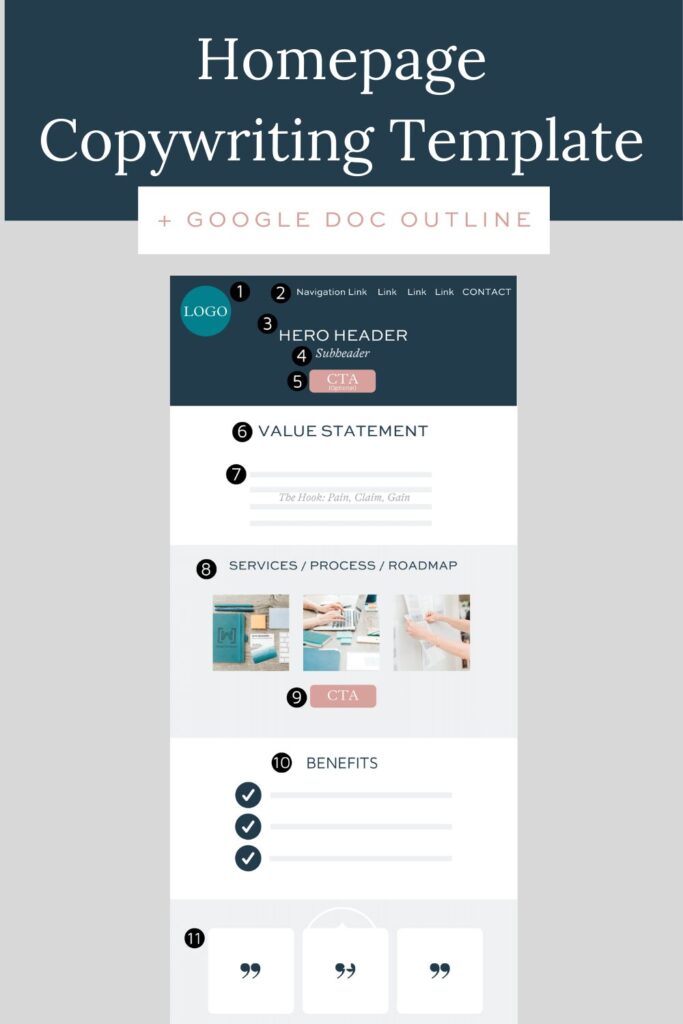
A converting homepage follows a clear structure: lead with the client’s problem, offer your specific solution, prove it with evidence, and make the next step obvious.
Why Website Copy Matters More Than Most Business Owners Realize
Copy is doing several jobs simultaneously on every page of your website:
- It filters for the right visitor. Good copy quickly confirms to the right people that they’re in the right place — and signals to the wrong people that they aren’t. Both outcomes are valuable.
- It answers the questions visitors have before they ask them. What do you do? Do you serve my area? How much does it cost? Why should I trust you? Good copy answers these proactively.
- It reduces the risk of reaching out. Contacting a business you’ve never used feels like a small risk. Copy that demonstrates expertise, shows real client results, and communicates clearly reduces that risk enough to prompt action.
- It supports SEO. The words on your page are what Google reads to determine what you do and who to show you to. Good copy written for real humans — not keyword-stuffed for algorithms — tends to rank better than the alternative.
A well-designed website with weak copy will always underperform. A modestly designed website with strong, clear, client-focused copy will consistently outperform it.
How to Write Homepage Copy That Converts
Your homepage has one job: make the right visitor understand what you do and take the next step. Here’s a simple framework that works for most small service businesses.
The Homepage Copy Framework
1. The Headline — What You Do and Who You Help
Your headline is the first thing visitors read and the most important line on your site. It should answer two questions instantly: what do you do and who do you do it for.
Formula: [Service] for [Audience] in [Location]
Examples:
- “Custom Web Design for Ottawa Small Businesses”
- “Electrical Contracting for Ottawa Homeowners and Builders”
- “Family Law Services for Ottawa Residents — Free Consultations Available”
Clarity beats cleverness every time. If a visitor has to think about what your headline means, you’ve already lost them.
2. The Supporting Subheadline — The Specific Benefit
One sentence below the headline that answers: why should I choose you specifically?
- “We build fast, mobile-friendly websites designed to show up on Google and turn visitors into leads.”
- “Licensed, insured, and available same-day for emergencies across Ottawa and surrounding areas.”
3. The Primary Call to Action
A button or link that tells them exactly what to do: “Get a Free Quote,” “Book a Consultation,” “Call Us Now.” It should appear immediately below or beside the headline — before scrolling.
4. Services Overview
A brief section naming your core services with links to dedicated service pages. Don’t try to explain everything here — just signal what you cover so visitors can click through to what’s relevant to them.
5. Trust Section
Three to five trust signals: years of experience, number of clients served, Google review rating and count, certifications, guarantees. One line each.
6. Testimonials
Two or three short, specific client quotes. The most persuasive testimonials mention a specific problem that was solved, not just generic praise. “Fixed our drainage issue in one visit after two other companies couldn’t diagnose it” is more powerful than “Great service, would recommend.”
7. Repeat the CTA
At the bottom of the homepage, repeat the call to action. Many visitors read to the end before deciding — don’t leave them without a clear next step.
How to Write Strong Service Page Copy
Service pages are where most of your organic search traffic lands — and where most conversion decisions are made. Yet they’re frequently the weakest pages on a small business website.
The Service Page Copy Framework
1. Page Headline — Name the Specific Service and Location
“Roof Replacement in Ottawa” or “Family Law Consultations — Ottawa, ON” — this is your primary SEO signal and your first trust confirmation that the visitor is on the right page.
2. Opening Paragraph — Address Their Situation
Start by describing the situation the visitor is likely in. This shows empathy and immediately signals that you understand their problem.
“If your roof is showing signs of age — cracked shingles, interior water stains, granules in the gutters — repair may no longer be the most cost-effective answer. A full roof replacement done properly protects your home for 20–30 years and often costs less in the long run than ongoing repairs.”
This opening works because it sounds like the business already understands the client’s situation — before any selling has started.
3. What’s Included — Answer Their Real Questions
What does this service actually involve? What can they expect? How long does it take? These are the questions visitors have — answer them directly. Don’t make clients call just to find out basic process information.
4. Why Choose You for This Specific Service
What makes your approach to this service different or better? This is where credentials, warranties, experience, and specialisation matter.
5. Testimonial Specific to This Service
If possible, include a review or testimonial that specifically references this service. A plumbing testimonial on a plumbing page converts better than a general business review.
6. Call to Action
End every service page with a clear CTA: “Get a Free Quote for Roof Replacement” or “Book a Consultation.” Be specific — “Get a Free Roofing Quote” outperforms “Contact Us.”
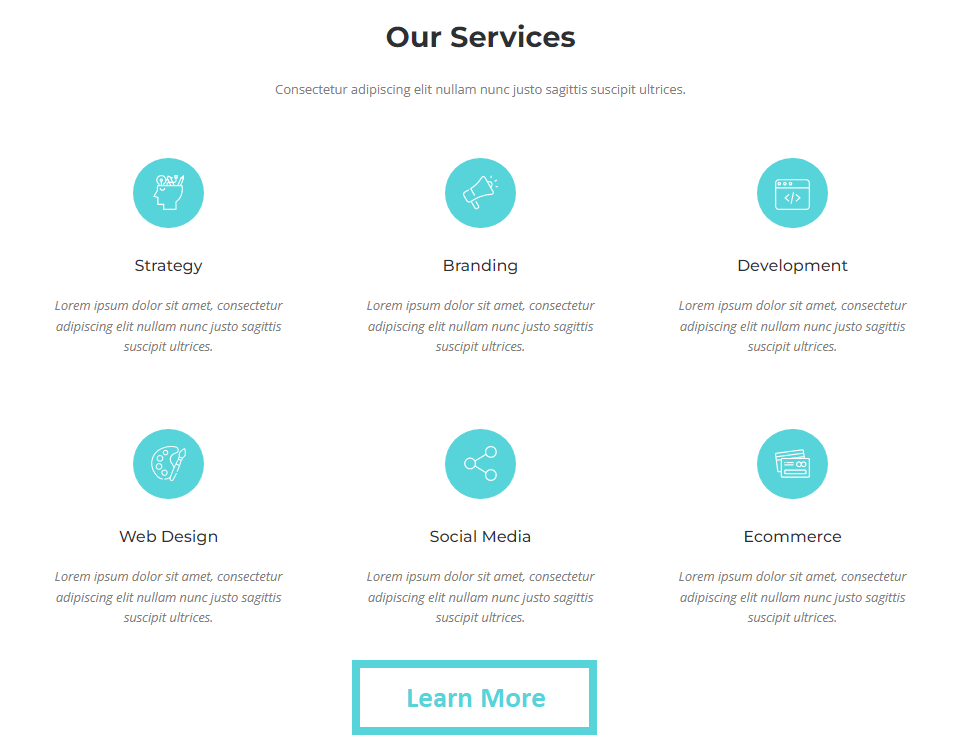
A strong service page addresses the visitor’s situation, explains the service clearly, builds credibility, and closes with a specific call to action — not just generic contact information.
How to Write an About Page That Builds Trust
The About page is consistently one of the most-visited pages on service business websites — and one of the most poorly written. Most About pages read like a company press release. They talk about values, missions, and milestones that prospective clients have no connection to.
The purpose of an About page is not to tell your story. It’s to build enough trust that a stranger feels comfortable contacting you.
What works on an About page:
- A real photo of a real person. Not a logo, not a stock image. You, your team, your branded vehicle. This simple change alone significantly improves the trust signal an About page delivers.
- Why you do this work. A brief, genuine explanation of how you got into this business and what drives you — not corporate mission statement language. Two or three sentences written the way you’d explain it to someone at a networking event.
- Relevant credentials and experience. Years in the industry, notable clients or projects where appropriate, certifications, community involvement. These belong here because they’re context, not boasts.
- A brief team section if relevant. Who else is on the team? Even just names and roles help humanise the business.
- A call to action. Your About page should end with an invitation to take the next step — “Ready to work together? Get in touch” — not just trail off.
The test for an About page is this: after reading it, does a prospective client know enough about the real people behind this business to feel comfortable reaching out? If not, something is missing.
Writing Clear, Effective Calls to Action
A call to action is not just a “Contact Us” button. It’s the sentence, phrase, or button that tells a visitor exactly what to do and makes them want to do it.
Principles for strong CTAs:
Be specific. “Get a Free Roofing Quote” is more compelling than “Contact Us.” “Book a Free 30-Minute Consultation” is more compelling than “Learn More.”
Reduce the perceived risk. Words like “free,” “no obligation,” and “quick” lower the barrier to action. “Get a free quote — no commitment required” removes the fear of being sold to.
Place them in the right spots. CTAs belong:
- In the hero section of the homepage (before scrolling)
- At the end of every service page
- After testimonial sections
- In the site footer
- Anywhere the visitor has just consumed a meaningful piece of content
Use first-person language where it fits. “Start my free quote” tends to outperform “Get a free quote” because it creates a small psychological ownership of the action.
Making Your Copy Easy to Scan
Most website visitors don’t read — they scan. They’re looking for the headline that answers their question, the bullet point that matches their situation, the bold phrase that jumps out. If your copy requires sustained reading to extract its value, most visitors will leave before they find it.
Practical formatting for scannability:
- Use short paragraphs — two to four sentences maximum
- Break up long sections with subheadings
- Bold the most important phrase in a section
- Use bullet points for lists of three or more items
- Keep sentences concise — if a sentence takes more than one breath to read aloud, it’s too long
- Use whitespace generously — walls of text discourage reading on mobile
Your copy should deliver its key message to someone who only reads the headlines and the first sentence of each paragraph. That’s how most people actually read websites.
Balancing SEO and Natural Writing
A common concern for small business owners writing their own copy is keyword placement — how do you write for Google without the copy sounding robotic?
The honest answer is that if your copy clearly describes what you do, who you help, and where you do it, the keywords take care of themselves.
An Ottawa landscaper writing naturally about “lawn care services in Barrhaven and Kanata” is including exactly the kind of local keyword language Google looks for — without stuffing, without awkwardness. The problems arise when business owners try to force keywords into sentences where they don’t belong, or repeat phrases unnaturally because they think it helps rankings.
Write for your human reader first. Use your service names and locations naturally throughout the copy. That’s the correct approach — and it’s what Google rewards. For a deeper look at how on-page writing supports search visibility, our guide on how to get more clients from your website covers the full conversion and visibility picture.
Common Website Copy Mistakes to Avoid
Writing for yourself, not your client. Leading with your company history, awards, or philosophy before establishing what you do for the visitor.
Vague headlines. “Welcome to Our Website” or “Quality You Can Trust” tells visitors nothing. Lead with your actual service and audience.
No clear next step. Pages that end without a call to action leave visitors wondering what to do — so most of them do nothing.
Trying to be clever instead of clear. Puns, metaphors, and brand voice are fine in moderation, but not if they obscure what you actually offer. If a visitor has to interpret your headline, you’ve lost them.
Copying competitors. Generic copy that could apply to any business in your industry gives visitors no reason to choose you specifically. Your copy should make clear what’s distinct about your business.
Ignoring mobile readers. Long paragraphs and dense blocks of text are difficult to read on a phone screen. Format everything with mobile scanning in mind.
Inconsistent tone. Switching between formal and casual language within the same page creates an unsettling inconsistency that undermines trust. Pick a voice and maintain it throughout.
The Pages That Matter Most for Conversion Copy
Not every page carries equal weight for lead generation. Focus your copywriting energy here first:
Homepage — First impression for most visitors. Weak copy here affects every subsequent page visit.
Service pages — Where organic search traffic lands and where conversion decisions are made. Each service deserves its own well-written page. Our guide on what a business website should include explains the full page structure in detail.
About page — Where trust is won or lost for higher-consideration services. Invest more time here than most business owners do.
Contact page — The last step before a lead. Keep it short, reassuring, and friction-free.
When to Write Your Own Copy vs. Get Help
Writing your own website copy is completely achievable for most business owners, and the frameworks in this guide give you a workable starting structure.
Write your own copy if:
- You have a clear sense of who your clients are and what they need to hear
- You’re comfortable writing in plain, direct language
- You have time to draft, revise, and test
- Your service is straightforward and doesn’t require a lot of nuance
Get help if:
- You’ve rewritten your homepage three times and it still doesn’t feel right
- You’re not sure how to structure service pages for SEO and conversion simultaneously
- Your current copy is generating traffic but not leads
- You’re launching a new business and want to get it right from the start
- Writing is not something you enjoy or have time for
At Ottawa Web Genius, copywriting guidance is included in every web design project — and for clients who prefer it, we write the content directly as part of the build. Our web design and services page explains exactly what’s included, and our pricing page breaks down what each tier covers.
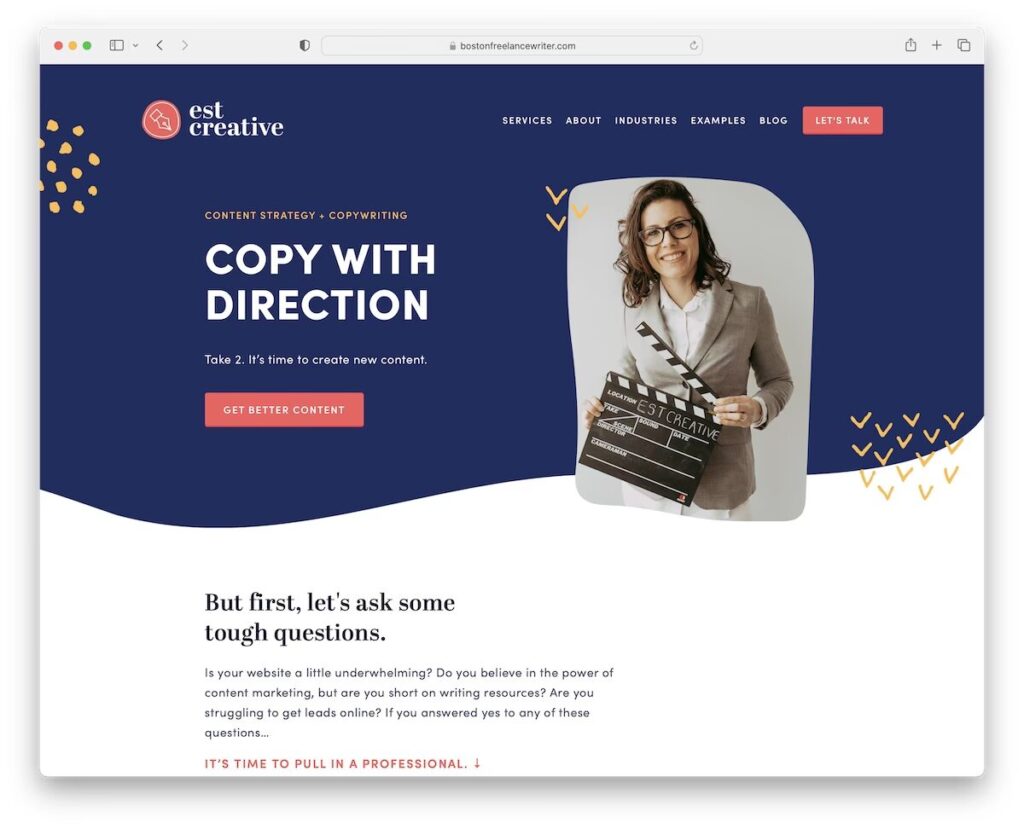
Strong website copy and fast performance work together — visitors who land on a clear, well-written page that also loads quickly are significantly more likely to take action.
Frequently Asked Questions
How long should website copy be?
There’s no universal rule, but a useful benchmark is: as long as it needs to answer the visitor’s questions and prompt action, and no longer. Most homepage copy converts well at 400–700 words. Service pages typically work best at 500–900 words — enough to explain the service properly and include trust signals without overwhelming the reader. About pages vary more widely, but 300–500 words is usually enough for a service business. Every additional sentence should earn its place by adding information the visitor genuinely needs.
Should I use “I” or “we” on my website?
Either can work, but consistency matters more than the choice itself. Solo practitioners and consultants often convert better using “I” — it’s more personal and honest about the size of the business. Small teams typically use “we.” The mistake is switching between the two on the same page or across pages, which creates an inconsistency visitors notice subconsciously. Pick one voice and stick to it throughout.
How do I write about pricing without putting people off?
The most effective approach for most service businesses is to mention a starting range or the factors that affect cost, rather than hiding pricing completely or listing fixed prices for highly variable services. “Custom website projects typically start from $2,500 depending on scope” is more helpful than “contact us for pricing” and less risky than a fixed number for work that varies significantly. Transparency around cost is a trust signal — visitors who can’t get any pricing information often leave and call a competitor who gives them at least a ballpark.
Can I write website copy myself if I’m not a professional writer?
Absolutely. The frameworks in this guide are designed specifically for business owners, not copywriters. The key is to stop thinking like a business owner telling your story and start thinking like a customer with a specific problem looking for the right solution. Draft your copy, then read it back asking: “Does this tell me immediately what the business does and whether it can help me?” If yes, it’s working. If you find yourself still explaining what the business is after two paragraphs, rewrite the opening.
How do I make my copy rank on Google without it sounding forced?
Write naturally about what you do, who you help, and where you’re located. Include your primary service and city in your page headline and the first paragraph. Use the specific terminology your clients use when they search — “water heater replacement Ottawa” not “hot water system renewal services.” Read your copy aloud after writing it — if a phrase sounds awkward spoken, it will read awkwardly too, and Google increasingly rewards copy that reads like it was written for humans. For the technical side of supporting your copy with SEO structure, Google Search Console is the free tool that shows you what searches your pages are already appearing for.
How often should I update my website copy?
Review your homepage and top service pages at least once a year. If your services, service area, pricing approach, or key differentiators have changed, update the copy to reflect that. A page that accurately described your business two years ago may now be misleading. Beyond accuracy, updating copy gives Google a reason to re-crawl and re-evaluate your pages, which can positively affect rankings when the changes are substantive improvements rather than minor edits.
Conclusion: Clear Copy Is the Most Underrated Part of a Converting Website
Most small business websites don’t fail because the owner can’t write. They fail because nobody told them to write for the client instead of the business — and because the frameworks that make website copy work aren’t complicated once you see them laid out clearly.
A homepage that names what you do and who you help. Service pages that address the visitor’s situation before pitching the solution. An About page that introduces real people. Calls to action that appear at the right moments and make the next step obvious. These aren’t advanced copywriting techniques — they’re the fundamentals that most websites are missing.
Get these right, and your website starts doing what it should have been doing all along: turning the right visitors into real inquiries.
If you’d rather not tackle the copy alone — or if you’ve been through several drafts and your website still isn’t converting the way it should — that’s exactly what we help with at Ottawa Web Genius. Every website we build includes copy guidance as a standard part of the process, and for clients who prefer it, we write the content directly.
Explore our web design services or view our pricing to see how we approach the full build — design, structure, and the words that make it work.