
Your Website Might Be Losing Clients You Don’t Even Know About
Here’s an uncomfortable truth most web designers don’t tell their clients: a website can look completely professional and still be quietly failing.
No error messages. No obvious problems. Just a steady trickle of visitors who arrive, browse briefly, and leave without ever calling, filling out a form, or taking any action at all.
If your website has traffic but isn’t generating consistent calls or inquiries, you don’t necessarily need more ads, more social media posts, or a bigger budget. In most cases, you need to fix the specific points where your current site is silently losing people.
This guide explains exactly where that happens, why it happens, and what to do about it — in plain language, for business owners who are tired of a website that doesn’t pull its weight.
Traffic vs. Leads: Understanding the Real Problem
The first thing to clarify is whether you have a traffic problem, a conversion problem, or both. They require completely different solutions — and confusing the two is one of the most common and expensive mistakes small business owners make.
A traffic problem means not enough people are finding your website in the first place. The fix involves SEO, local search optimization, Google Business Profile improvements, and potentially paid advertising.
A conversion problem means people are finding your website but not taking action. The fix involves improving your messaging, trust signals, calls to action, page structure, and mobile experience.
Many businesses assume they need more traffic when what they actually need is for their existing traffic to convert better. Doubling your visitors does nothing if your site is converting 0.5% of them into leads. Fix the conversion rate first, and every visitor you already have becomes more valuable.
To check your current traffic, set up Google Search Console and Google Analytics if you haven’t already. These free tools show you how many people are visiting, which pages they land on, and where they leave.
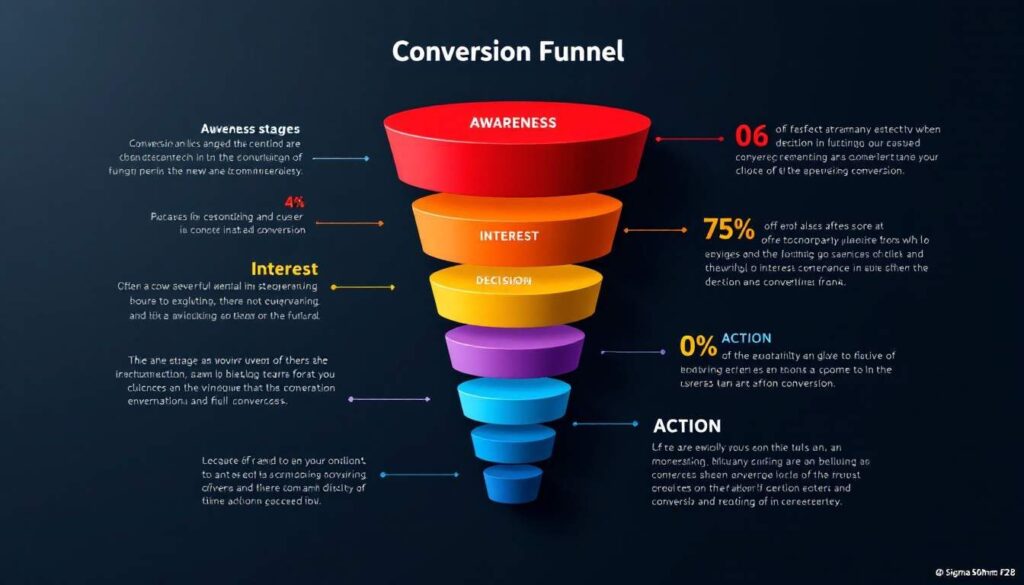
Most websites lose potential clients at predictable points — weak messaging, missing trust signals, confusing navigation, or a poor mobile experience. Fixing these doesn’t require a full redesign.
Is More Traffic Actually the Answer?
Before you spend a dollar on ads or SEO, answer this question honestly: if 100 more people visited your website tomorrow, how many of them would contact you?
If your honest answer is “not many,” then more traffic is not your immediate problem. Sending more visitors into a leaky bucket doesn’t fill the bucket — it just wastes more water.
A useful benchmark: most well-optimized small business service websites convert between 2% and 5% of their total visitors into leads. If yours is significantly below that, the site itself needs attention before traffic generation becomes the priority.
For businesses whose website isn’t showing up in local search at all, our post on how to improve your website’s SEO addresses that side of the equation separately.
The Most Common Places Websites Lose Potential Clients
These are the specific points where small business websites silently lose the people who were ready to contact them.
1. The Homepage Headline Says Nothing Useful
The first thing a visitor reads when they land on your homepage determines whether they stay or leave. If that headline is vague — “Welcome to Our Website,” “Your Trusted Local Partner,” “Quality Service You Can Count On” — it communicates nothing and creates no reason to keep reading.
A homepage headline needs to answer three questions in one sentence: What do you do? Who do you help? Where?
Compare these:
- ❌ “Serving Ottawa with Pride Since 2010”
- ✅ “Roofing Repair and Replacement for Ottawa Homeowners — Fast, Reliable, Fully Insured”
The second version tells a prospective client immediately whether they’re in the right place. The first forces them to keep reading to find out — and many won’t bother.
2. No Clear Call to Action
Many small business websites have a “Contact Us” link in the navigation and nothing else telling visitors what to do. That’s not a call to action — that’s a navigation item.
A real call to action is a button or link that appears in multiple places, uses action-oriented language, and makes the next step obvious. “Get a Free Quote,” “Book a Consultation,” “Call Us Now” — these are calls to action. They should appear:
- In the header or hero section of the homepage (above the fold, before scrolling)
- At the bottom of every service page
- After testimonials or social proof sections
- In the footer
If a visitor has to hunt for how to contact you, most of them won’t.
3. Phone Number Is Hidden or Hard to Find
For service businesses especially, many clients want to call — not fill out a form. If your phone number is buried in the footer, on the contact page only, or missing from mobile view, you’re losing calls every single day.
Your phone number should be visible at the top of every page. On mobile, it should be a tappable link that opens the phone dialer directly. This single change alone has a measurable impact on call volume for most local service businesses.
4. The Contact Form Asks Too Much
Long contact forms are one of the biggest conversion killers on service business websites. Every additional field reduces the number of people who complete the form.
Unless you have a specific operational reason to collect a lot of information upfront, limit your form to five fields or fewer: name, email or phone, service type, and a brief message. You can collect everything else once you’ve established contact.
5. No Trust Signals on Key Pages
A prospective client who doesn’t know your business is silently asking: Why should I trust this company with my home, my legal matter, my money, my project?
If your website doesn’t answer that question quickly — with reviews, testimonials, credentials, case studies, years of experience, or project photos — the visitor has no reason to choose you over a competitor who does. Trust signals reduce the psychological risk of reaching out to a stranger, and they belong on the homepage, service pages, and contact page — not just on a separate “Reviews” page that most visitors never find.
6. Weak or Missing Service Pages
If all your services are listed in bullet points on a single page, you’re losing on two fronts simultaneously. First, Google has very little to rank because there’s no page specifically targeting “emergency plumbing Ottawa” or “family law consultation Ottawa.” Second, a visitor looking for one specific service has to scroll through everything else to find it.
Each service you offer deserves its own dedicated page with a proper explanation, relevant trust signals, and a clear call to action. Our guide on what a business website should include explains exactly how to structure this for maximum both visibility and conversion.
7. The Mobile Experience Is Broken or Frustrating
More than half of all website visits happen on mobile devices. If your website looks fine on desktop but is slow, cramped, or difficult to navigate on a phone — tiny text, buttons too close together, forms that don’t work properly — you’re losing a significant portion of every visitor who finds you.
Test your site right now by loading it on your own phone and trying to find your phone number, complete a contact form, and navigate to a specific service page. If any of those things are difficult, your mobile experience is costing you leads.
Clear, repeated calls to action are one of the highest-impact changes a small business website can make — they remove the guesswork from what a visitor should do next.
Trust-Building Improvements That Convert
Getting a visitor to contact you requires them to trust you enough to take action. These are the trust elements that move the needle most:
Customer reviews and testimonials. Display Google reviews prominently — not just on a dedicated reviews page, but on your homepage and individual service pages. Show the star rating, the reviewer’s name, and enough of the review to be credible. Link to your full Google Business Profile so visitors can read more. If you need to build your review volume, our guide on how to get more Google reviews covers how to do it consistently and ethically.
Real project photos and case studies. Before-and-after photos from actual client projects are more persuasive than any marketing copy. They show what you actually do and what the outcome looks like — which is what prospective clients are trying to evaluate.
Credentials and experience signals. Years in business, industry certifications, licences, insurance, professional memberships — display these clearly and early. They provide objective evidence of capability before a prospective client has to take your word for it.
A genuine About page. People hire people. An About page that introduces a real person — with a photo, a genuine background, and a clear sense of why they do this work — converts far better than a generic company profile. It’s often one of the most-visited pages on a service business website.
Messaging and Calls to Action: Getting the Words Right
The words on your website matter as much as the design. Weak, generic copy is often the primary reason a well-designed website still doesn’t convert.
Write for your client, not your business. Most small business websites lead with “We are a family-owned company dedicated to excellence.” Prospective clients don’t care about your company identity yet — they care about their problem. Lead with what you solve, not what you are.
Be specific. “Fast service” means nothing. “Same-day service available in Ottawa and surrounding areas” means something. Specificity builds credibility and filters for the right clients.
Repeat your CTA at every decision point. Someone who reads your homepage, then visits a service page, then reads a testimonial is at a different level of readiness than when they first arrived. Place a CTA at each of these transition points so they never have to wonder what to do next.
Match your language to your audience. A trades business serving homeowners should use plain, reassuring language. A legal firm serving business clients can use more formal language. Your website copy should sound like the most knowledgeable, approachable version of your best salesperson.
Speed and Mobile: The Silent Conversion Killers
A website that loads in five seconds loses a significant percentage of its visitors before the page even appears. Google research consistently shows that as page load time increases past two to three seconds, bounce rates increase sharply — particularly on mobile.
Beyond losing visitors, slow pages also rank lower in Google search results, which compounds the problem.
Test your current site speed at Google PageSpeed Insights. If your mobile score is below 50, speed is almost certainly contributing to poor conversion performance. Common causes are uncompressed images, too many third-party scripts, and unoptimized hosting.
How SEO, Google Business Profile, and Conversion Work Together
These three elements are often treated as separate concerns. They aren’t — they form a system.
Your Google Business Profile brings people to your website (or prompts direct calls). Your website’s SEO determines which searches your pages appear for beyond your GBP. Your website’s conversion design determines what happens when visitors actually arrive.
A weakness in any one of the three limits the others. Strong SEO bringing traffic to a low-converting website produces poor results. A high-converting website that nobody finds produces equally poor results. All three need to be working together.
For guidance on the local search side of this equation, our guide on how to optimize your Google Business Profile covers that layer of the system in full.
The Pages That Matter Most for Lead Generation
Not all pages contribute equally to lead generation. For most service businesses, these are the highest-impact pages:
Homepage. First impression, primary CTA, trust overview. If this page isn’t converting, nothing else will compensate.
Service pages. These are where most organic traffic lands from specific searches. Each one needs to answer the visitor’s question, establish trust, and prompt action.
Contact page. The final step before a lead — this page should be as frictionless as possible. No unnecessary fields, no friction, no obstacles.
About page. Often underestimated, but consistently one of the most-visited pages on service business websites. Visitors who visit the About page are actively evaluating whether to trust you — make it count.
How to Measure Whether Your Website Is Actually Converting
You can’t improve what you don’t measure. These are the key metrics to monitor:
Website traffic. Set up Google Analytics if you haven’t already. How many visitors are coming? Which pages are they landing on? How long are they staying?
Traffic sources. Where is your traffic coming from — Google search, Google Maps, direct, social media, referrals? This tells you which channels are working.
Bounce rate. What percentage of visitors leave without visiting a second page? A high bounce rate on service pages often indicates a mismatch between what visitors expected and what they found.
Contact form submissions. Track how many people complete your contact form each month. If this number is very low relative to your traffic, the form or the pages leading to it need attention.
Phone calls. If you use a trackable phone number or call tracking, you can see how many calls are generated by your website specifically.
Goal completions. Set up goal tracking in Google Analytics for form submissions and phone number clicks. This gives you a concrete conversion rate to work with and improve against.
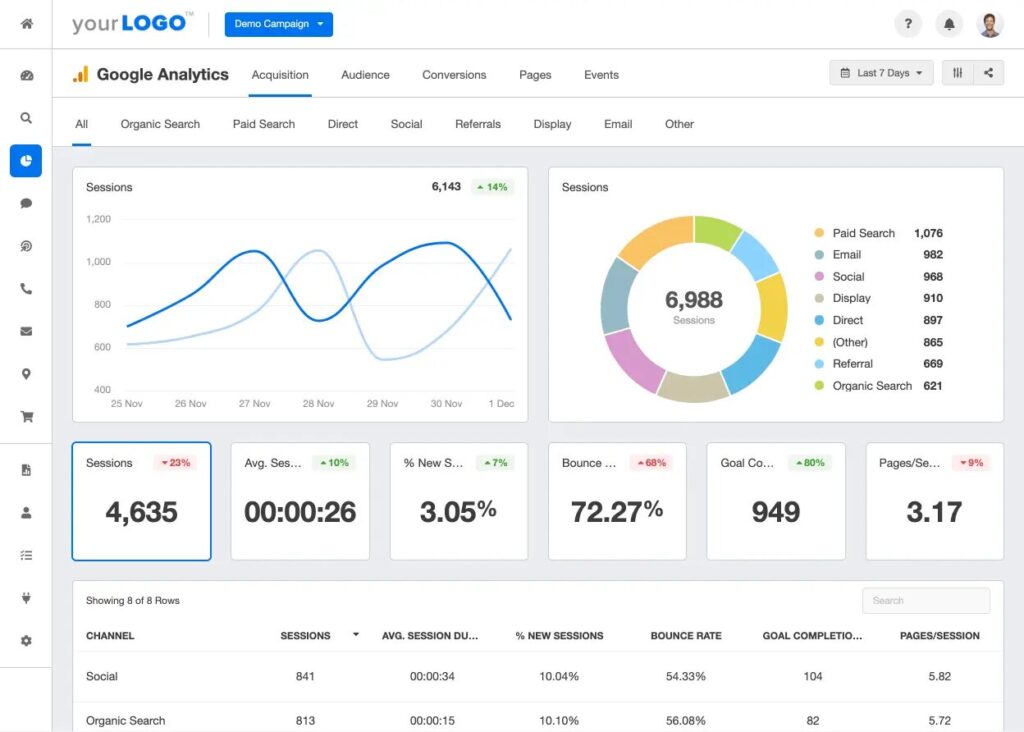
Setting up Google Analytics and Google Search Console gives you the data to identify exactly where your website is losing potential leads — and whether traffic or conversion is the primary issue.
The Website Conversion Checklist
Messaging and clarity:
- [ ] Homepage headline clearly states what you do, who you help, and where
- [ ] Primary call to action visible before scrolling on homepage
- [ ] Phone number displayed at the top of every page
- [ ] Phone number is a tappable link on mobile
- [ ] Service descriptions are specific, not generic
- [ ] About page introduces a real person with a genuine background and photo
Trust signals:
- [ ] Google reviews or testimonials displayed on homepage
- [ ] Reviews or testimonials appear on at least one service page
- [ ] Project photos or case studies visible without having to search for them
- [ ] Credentials, certifications, years of experience, or awards visible
- [ ] Guarantee or warranty featured prominently if applicable
Conversion structure:
- [ ] CTA appears at the bottom of every service page
- [ ] Contact form has five fields or fewer
- [ ] Contact page includes phone number, email, and location
- [ ] Dedicated service page exists for each core service
- [ ] Navigation is simple and makes it easy to find any key page in two clicks
Technical performance:
- [ ] Google PageSpeed Insights mobile score above 70
- [ ] Website displays correctly on phone without horizontal scrolling
- [ ] Contact form works correctly on mobile
- [ ] Google Analytics installed and tracking
- [ ] Google Search Console set up and sitemap submitted
- [ ] Conversion events tracked (form submissions, phone clicks)
Frequently Asked Questions
How do I know if my website has a traffic problem or a conversion problem?
Log into Google Search Console and check your monthly click volume. If you’re getting fewer than 100 visitors per month from organic search, traffic is likely part of the issue. If you’re getting 300 or more visitors per month and still getting very few inquiries, conversion is the primary problem. Most businesses have some of both — but knowing which is dominant tells you where to focus first.
What is a good conversion rate for a small business website?
For service-based businesses, a well-optimized website typically converts between 2% and 5% of total visitors into some form of lead — a call, a form submission, or a direct email. If you’re below 1%, there are almost certainly specific friction points on your site that can be identified and fixed without a complete redesign.
Do I need to redesign my entire website to improve conversions?
Usually not. In most cases, the highest-impact improvements are targeted: rewriting the homepage headline, adding a visible phone number, shortening the contact form, adding testimonials to service pages, and improving mobile performance. A full redesign makes sense when the site’s structure is fundamentally wrong — for example, no dedicated service pages — but many conversion problems can be fixed without starting over. Our post on what a business website should include helps clarify when a structural overhaul is genuinely needed versus when targeted improvements are enough.
Why are people visiting my website but not contacting me?
The most common reasons are: the homepage doesn’t clearly explain what you offer, the call to action is weak or missing, the site loads slowly on mobile, there are no reviews or trust signals visible, or the contact form has too many fields. Start by testing your own site on a phone and trying to complete the customer journey yourself — most issues reveal themselves quickly through that exercise.
How long does it take to see results after improving website conversion?
Unlike SEO, which takes months to show results, conversion improvements can have an impact almost immediately. If you fix your homepage headline, add a visible phone number, and shorten your contact form this week, you may see an increase in calls and submissions within days. The improvements take effect as soon as they’re live because they affect every visitor from that point forward.
Should I focus on SEO or website conversion first?
Fix conversion first. If your site is not converting the visitors it already receives, improving your search rankings just sends more people into the same leaky experience. Once your site is set up to convert effectively, every SEO improvement compounds — more traffic produces proportionally more leads. Our web design and SEO services are built around this principle, addressing both sides of the equation as a coordinated system rather than separate projects.
Conclusion: Your Website Should Be Your Best Salesperson
The businesses generating consistent leads from their website aren’t necessarily the ones with the biggest ad budget or the most elaborate design. They’re the ones whose websites answer the right questions fast, build trust quickly, and make the next step obvious.
Most small business websites are one or two targeted improvements away from performing significantly better. The challenge is knowing which improvements matter most and in what order — because not all changes have equal impact, and guessing wrong wastes time and money.
At Ottawa Web Genius, we build websites around one goal: turning the right visitors into real leads. Whether that means rebuilding from scratch, fixing specific conversion problems on an existing site, or strengthening the local SEO that feeds it, we approach every project as a lead generation system — not just a design exercise.
Explore our web design and SEO services or view our pricing to see exactly what working with us looks like — and what your website could be doing for your business that it isn’t doing right now.